What's new
New things you can do in OnTheList, and a short note on every update.
-
Release notes
OnTheList 1.3.14 for iPhone and iPad
Updates the app's security certificates.
-
Release notes
OnTheList 1.3.13 for iPhone and iPad
Fixes the scroll bar jumping while you scroll a list on a Mac.
-
New feature
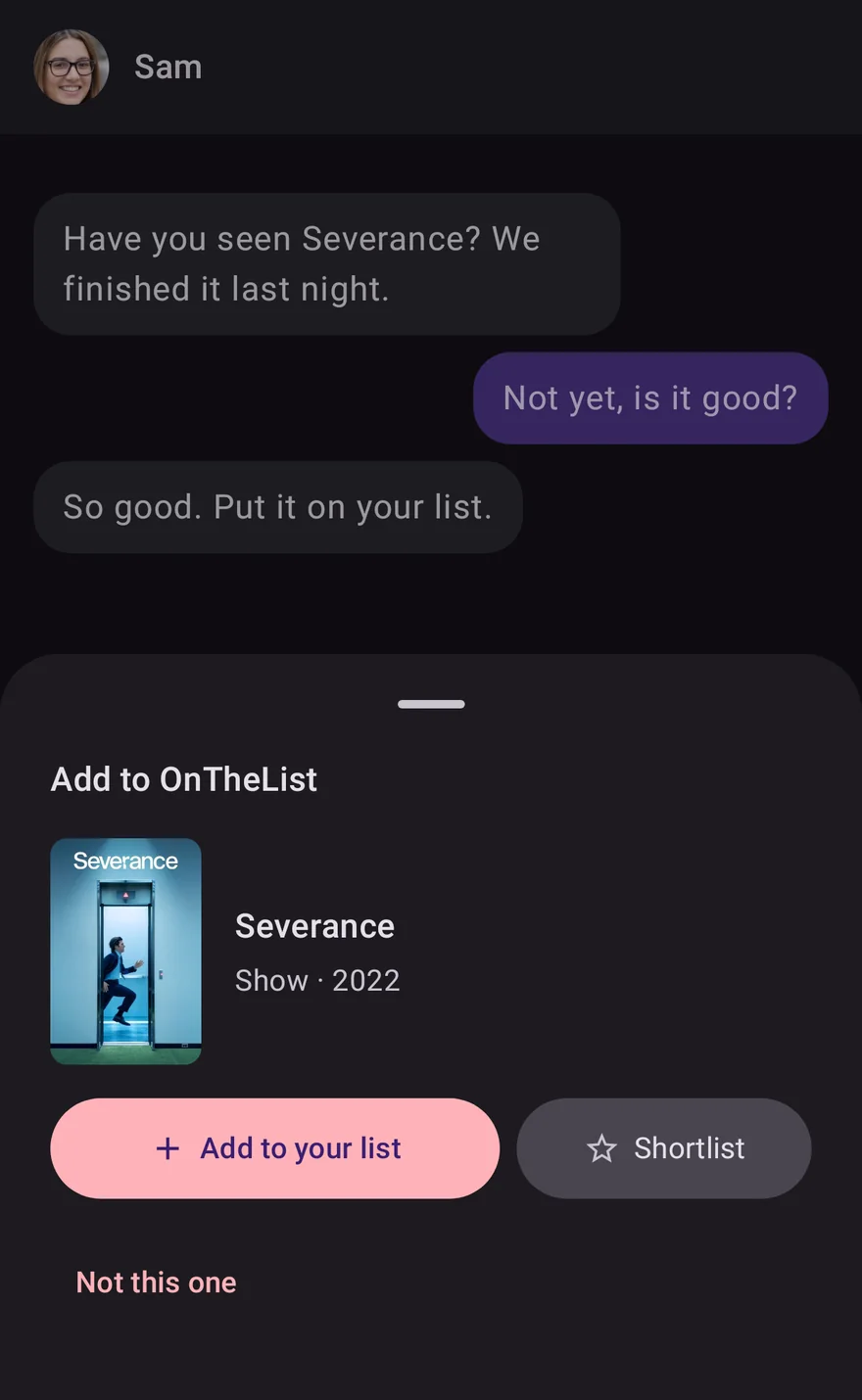
Add titles from any app
See a film or show in another app? Share the link, the message or a screenshot to OnTheList, or select its name and choose Add to OnTheList.
-
Release notes
OnTheList 1.9.0 for Android
Share a title to OnTheList from any app: a link, some text or a screenshot. Or select text and pick Add to OnTheList. Screenshots are read only while Share app statistics is on.
A title now shows where it came from, like From Sam.
Settings has Services: pick your streaming services, and get a morning alert when a title on your list arrives on one.
At the end of a show's latest series, OnTheList asks if it should move to Seen.
Small fixes.
-
Release notes
OnTheList 1.3.12 for iPhone and iPad
Fixes the suggestions beside your list changing size while you scroll on a Mac.
-
Release notes
OnTheList 1.3.11 for iPhone and iPad
Fixes the list jumping back to the top while scrolling on a Mac.
-
New feature
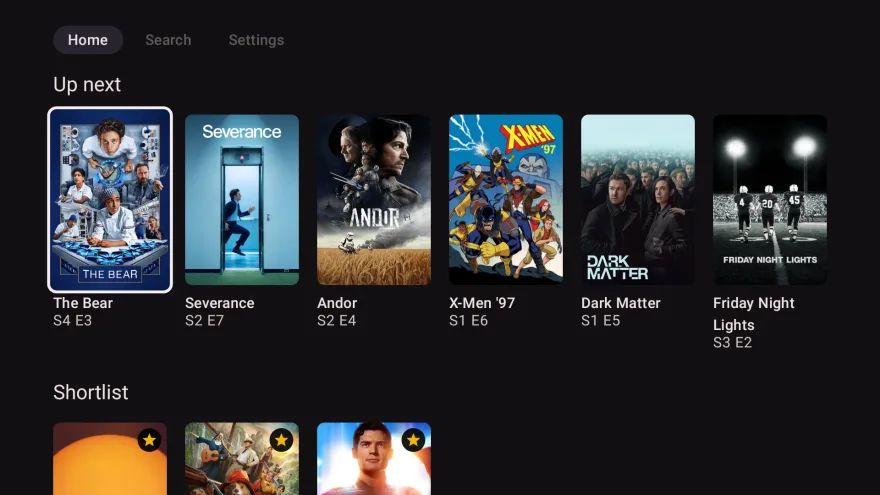
Pair a Google TV
OnTheList on Google TV and Android TV: your list, what's streaming now and what's coming next, on the big screen.
-
Release notes
OnTheList 1.8.0 for Android
Pair a Google TV or Android TV: install OnTheList on the TV, then on your phone open Settings, Your devices, Pair a device, and enter the code the TV shows. Or scan the TV's QR code with your phone's camera.
Settings is now a list of groups, each with its own page. Sign-in, sign out and delete account sit together under Account.
A new Settings switch, Share activity with friends, chooses whether your friends see what you watch, rate and comment on in Activity.
Small fixes.
-
Release notes
OnTheList 1.3.10 for iPhone and iPad
On NOW's Entertainment & HBO Max pass? In Settings, then Services, one line now ticks both for you.
Fixes and improvements.
-
Release notes
OnTheList 1.3.9 for iPhone and iPad
Changed your country? OnTheList now asks again which streaming services you have, so your alerts stay right.
Search results load faster.
-
New feature
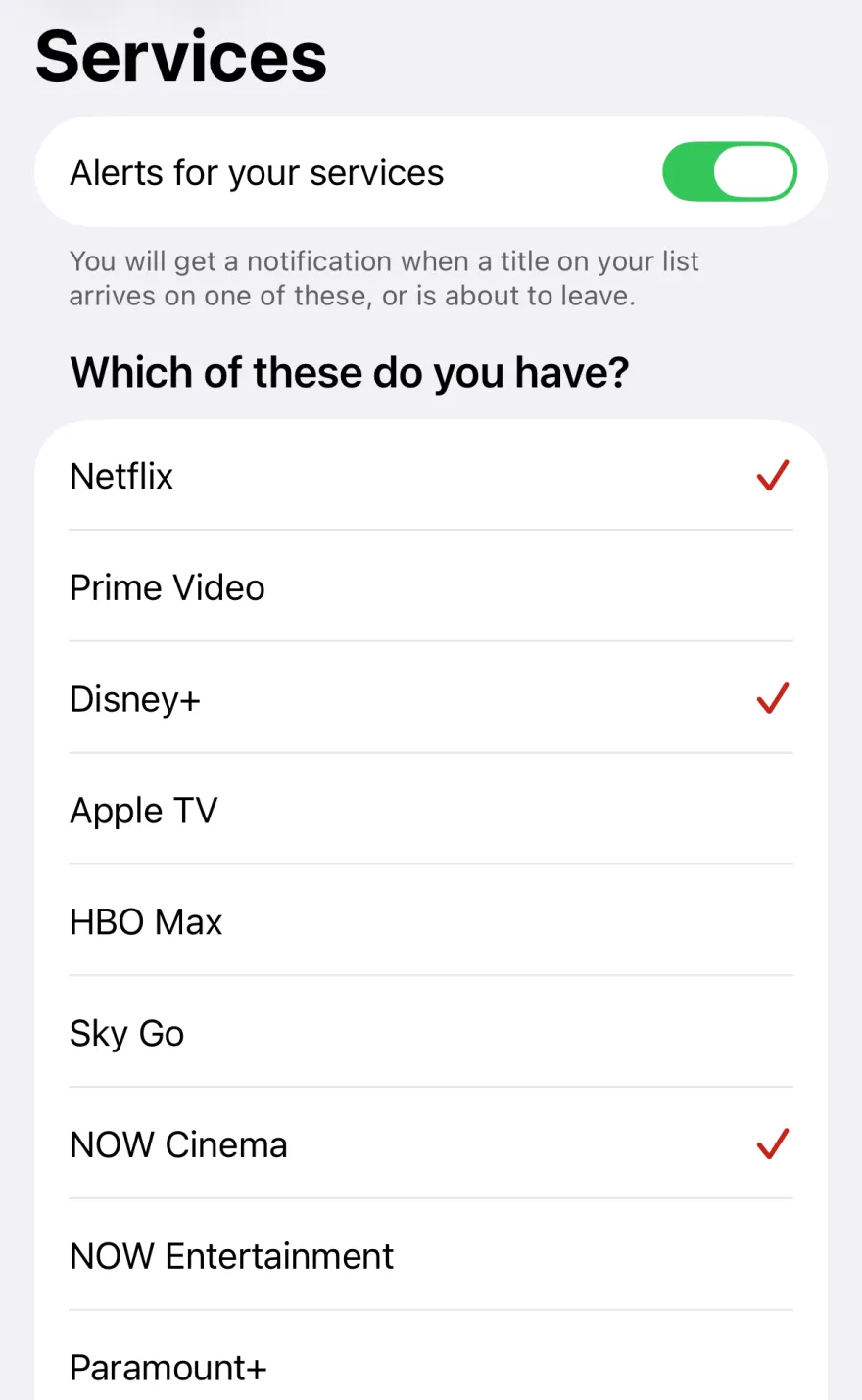
Alerts for your streaming services
Tell OnTheList which streaming services you have, and get one quiet alert in the morning when a title on your list arrives on one or is about to leave.
-
Release notes
OnTheList 1.3.8 for iPhone and iPad
Alerts for your streaming services.
- Choose the streaming services you have in Settings, then Services, and turn on alerts. OnTheList tells you when a title on your list arrives on one of them, or is about to leave.
- When you finish the latest series of a show that is still running, OnTheList offers to move it to your Seen list.
- In Settings, "Your devices" is now "Devices".
- Fixes and improvements.
-
Release notes
OnTheList 1.3.7 for iPhone and iPad
Pair a Google TV.
- Show your list on a Google TV: open Settings, then Your devices, and type the code your TV shows or scan its QR code.
- Settings has a new look: each row shows its setting and opens its own page.
- On a film's release day, OnTheList checks again and shows where to watch it.
- Fixes and improvements.
-
Release notes
OnTheList 1.3.6 for iPhone and iPad
Made for iPhone Duo.
- Open your iPhone Duo and OnTheList uses the whole screen: your list beside the title you picked, and your friends beside their lists.
- Fixes and improvements.
-
Release notes
OnTheList 1.3.5 for iPhone and iPad
Import your watch history.
- Bring your watchlist, what you've seen and your ratings from Letterboxd, Trakt, TV Time, Simkl, BetaSeries or Refract, episode progress included. Or paste a list from anywhere.
- A friend's "to watch" count now opens their list.
- Fixes and improvements.
-
Release notes
OnTheList 1.7.0 for Android
Import your watch history. Bring in your watchlist, what you've seen and your ratings from Letterboxd, Trakt, TV Time, Simkl and more, or paste a list from anywhere.
A friend's list now shows whose it is at the top, and To watch on their profile opens it.
On tablets and desktops, drag a title from Coming soon onto your list, with Undo.
Export your list now keeps your reactions and episode progress.
-
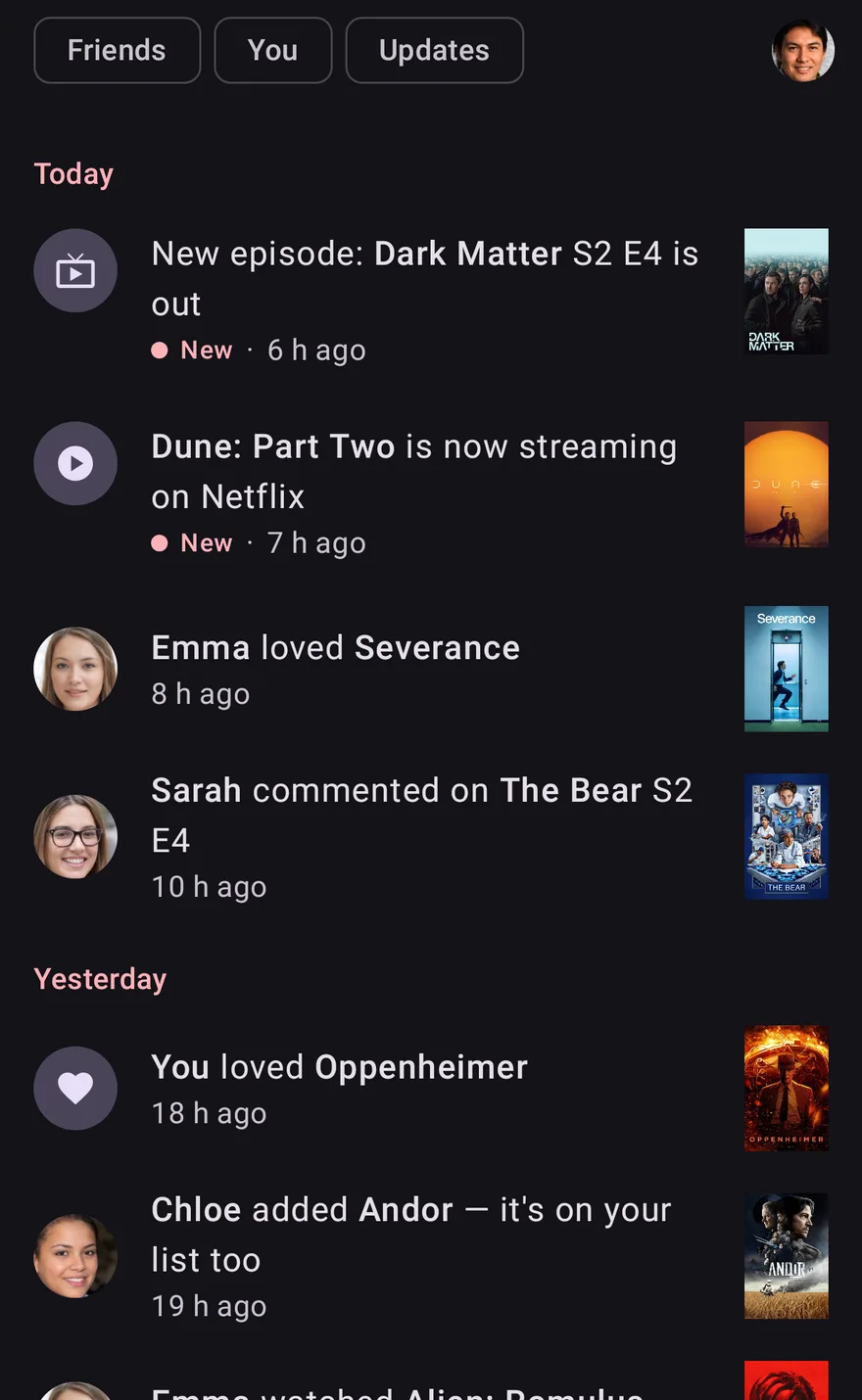
New feature
See what your friends are watching
Activity shows what your friends watched, rated and said, and news about the titles on your list.
-
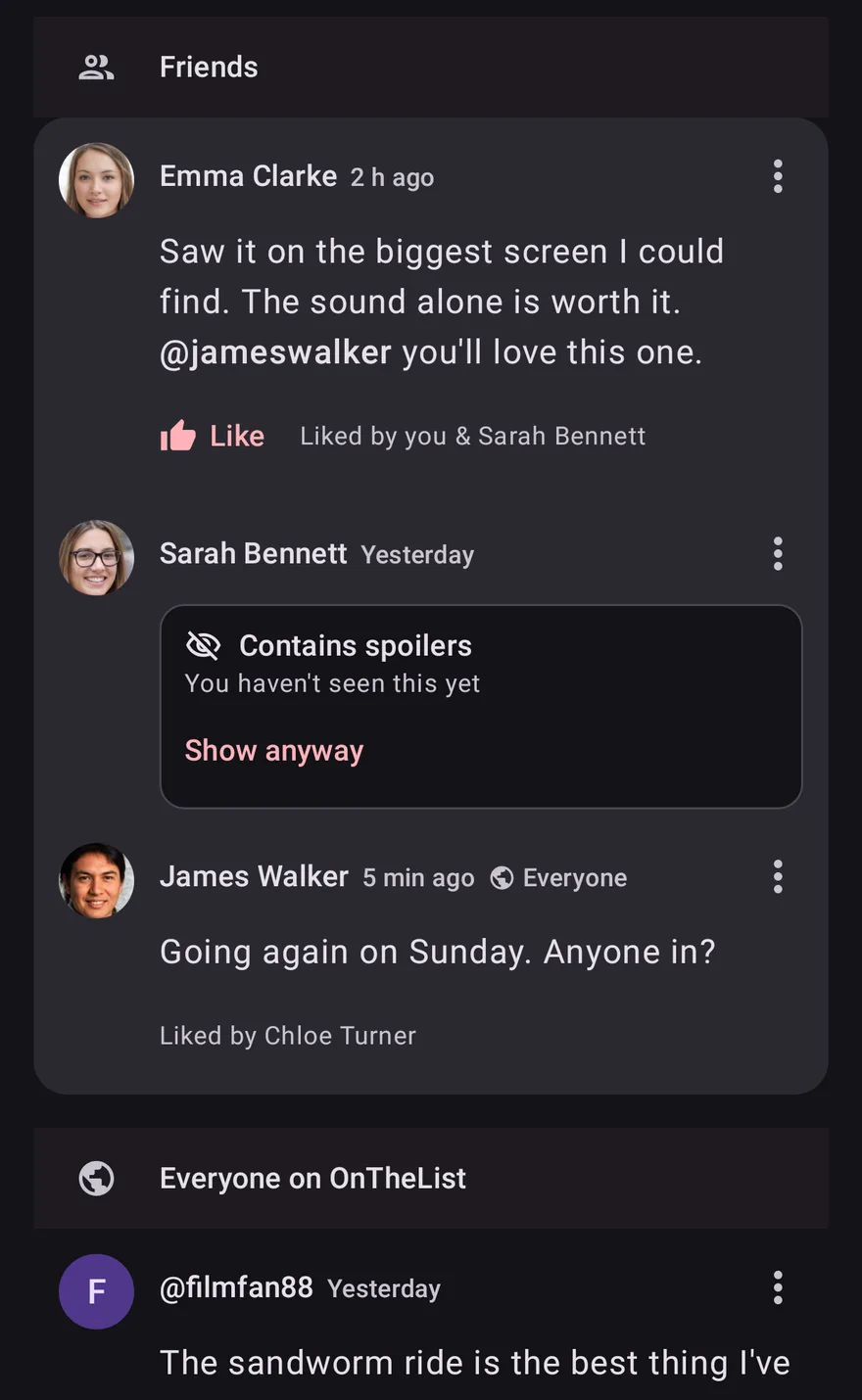
New feature
Comments on films, shows and episodes
Talk about a title or an episode with your friends, or with everyone on OnTheList.
-
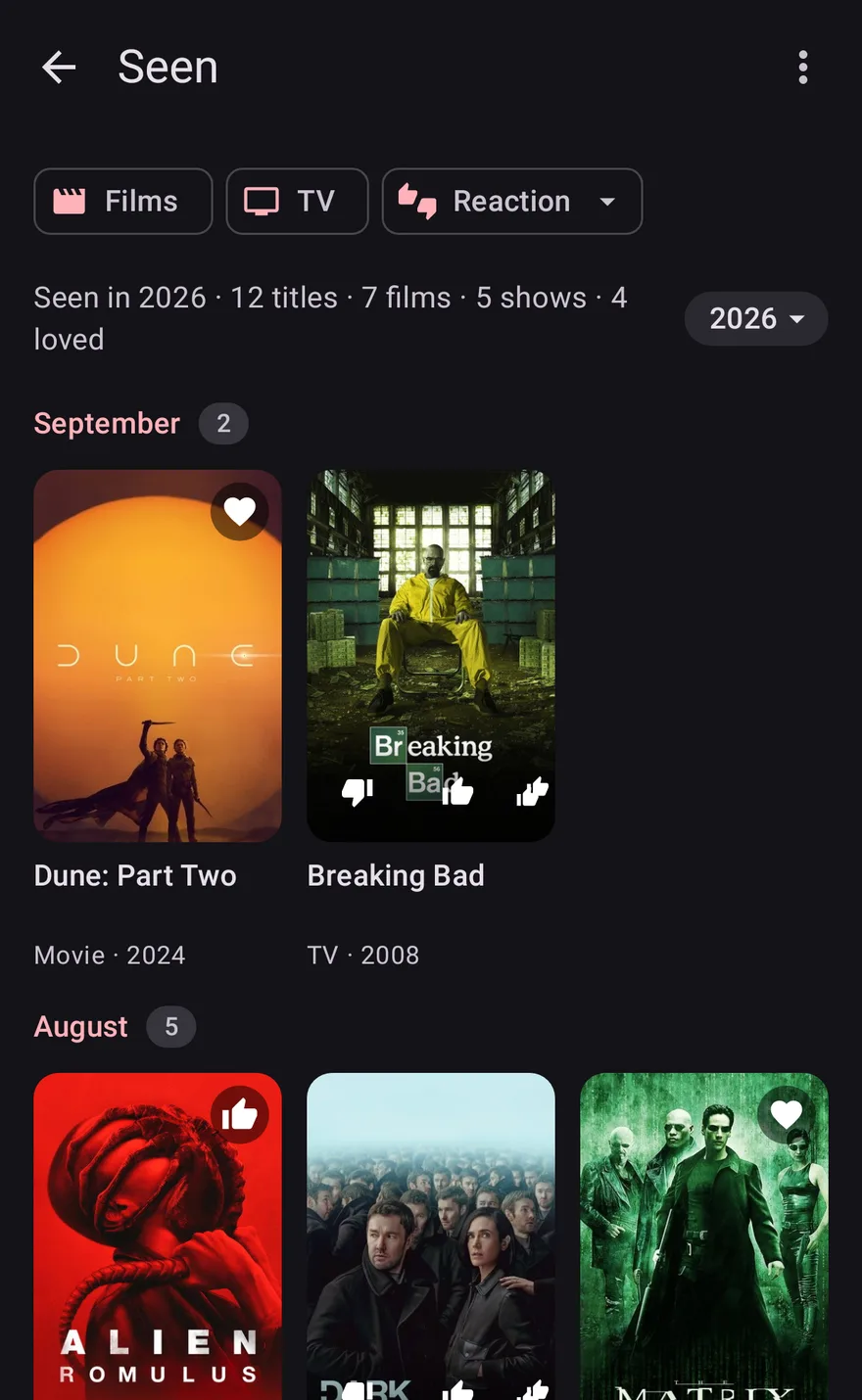
New feature
Everything you've seen has its own page
Seen now has its own page: everything you've watched, month by month, with your reactions.
-
Release notes
OnTheList 1.6.0 for Android
Comments are here. Talk about any film, show or episode with your friends, or with everyone. Mention a friend and they get a notification. You can report or block people, and manage it all in Settings.
New Activity tab: what your friends are watching, replies to you, and updates on your titles.
Seen has its own page now, opened from your profile. Long-press to select many titles at once.
Titles show their cast, and films show who directed them.
New in Settings: Share app statistics.
Read more: Comments on films, shows and episodes
-
Release notes
OnTheList 1.3.4 for iPhone and iPad
Activity, comments and a new look for titles.
- New Activity tab: what your friends watched, rated and said, and news about movies and shows on your list.
- Comment on titles and episodes, with friends or with everyone.
- Title pages now lead with the story and the cast. IMDb and Letterboxd scores sit beside the age rating.
- Seen has moved to your profile. Shortlist now leads the list's filters.
- Cast and director, new settings, terms in About, easier-to-read colours, and fixes.
Read more: Comments on films, shows and episodes
-
Release notes
OnTheList 1.4.1 for Android
Age ratings are here. Every film and show now carries its rating, like 12, 15 or 18, right next to the year, so you know what you're in for.
What's on at the cinema now leads your list, with streaming right below it.
On tablets and desktops, including Googlebooks, the Coming soon row folds away when you want the space, and you can drag a suggestion straight onto your list.
-
Release notes
OnTheList 1.3.3 for iPhone and iPad
Age ratings and a small list change.
- Film and TV titles now show their age rating on the title screen.
- Films in cinemas now sit above Streaming now in your list.
-
Release notes
OnTheList 1.3.2 for iPhone and iPad
Updated for iOS 27.
- Built with the iOS 27 SDK, so OnTheList follows the latest system behaviour on iPhone and iPad.
- Small fixes under the hood.
-
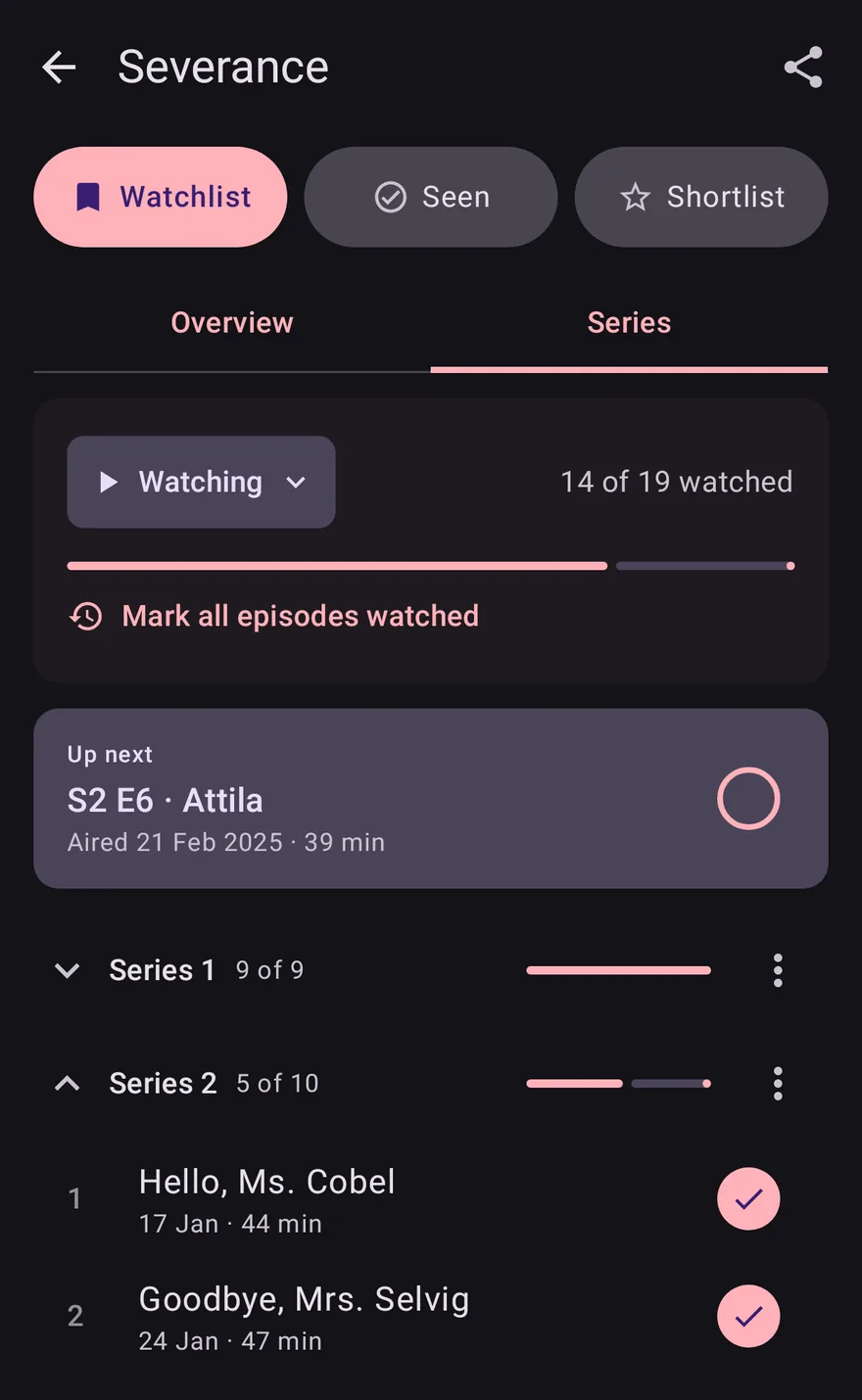
New feature
Track every episode
Tick off episodes as you watch, see what's up next, and get an alert when a new episode is out.
-
Release notes
OnTheList 1.4.0 for Android
Track every episode. Shows have a Series tab: tick off what you've watched and see what's next.
Your list now starts with Up next. A new Up next widget lets you tick off an episode from your home screen.
New episode alerts tell you when a show you're watching has a new episode out.
Pause or drop a show. Letterboxd import now brings your watched history too.
Friends see where you're up to in a show, unless you hide it. Your list no longer jumps around while it loads.
-
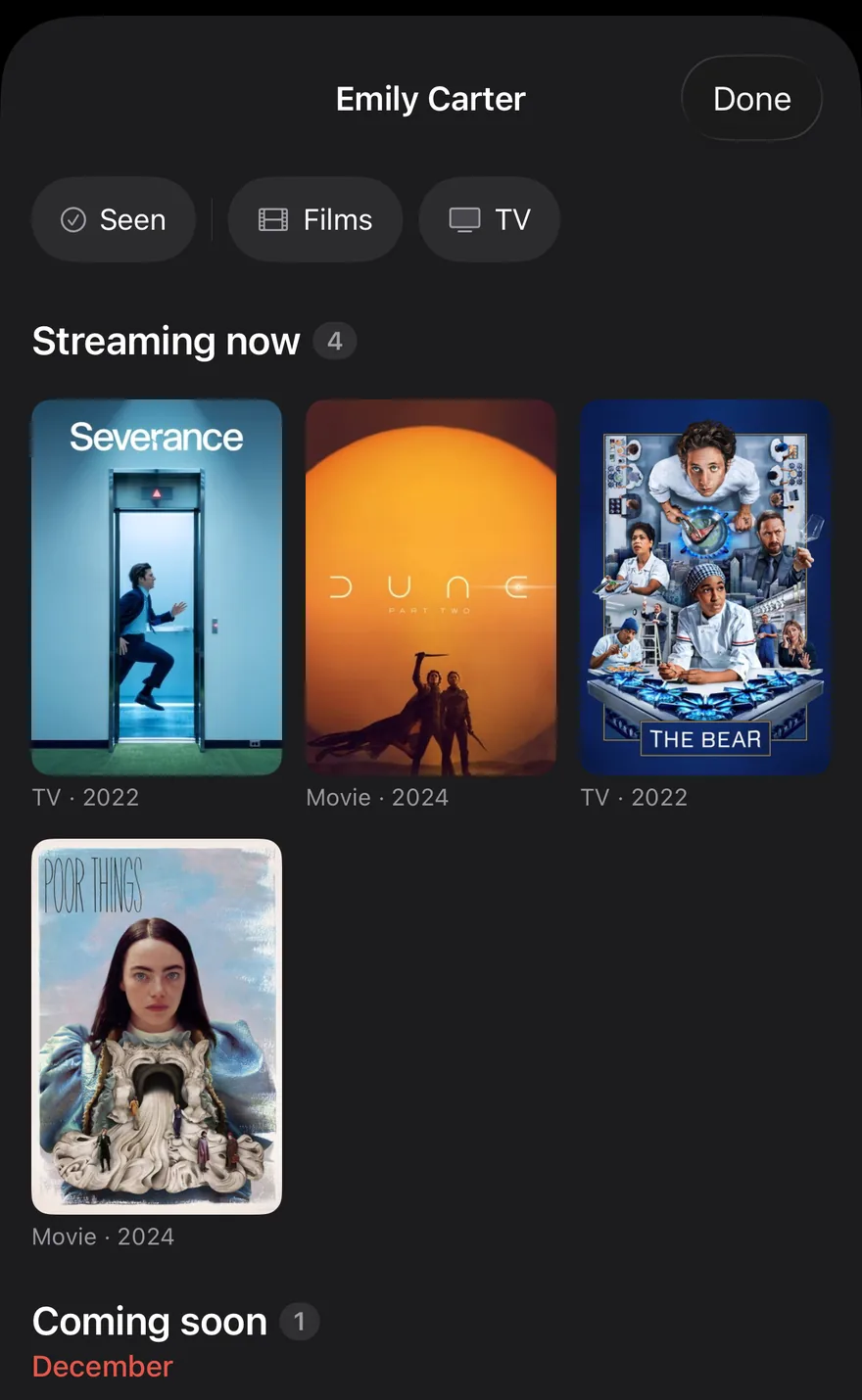
New feature
See what your friends want to watch
Add friends, see each other's lists, and find the things you both want to watch.
Get OnTheList
Free on iPhone, iPad, Mac and Android.