New feature
Track every episode
Android 1.4.0 and later. iPhone and iPad 1.3.1 and later.
Shows now keep your place. Mark episodes as you watch them, and OnTheList shows you what comes next.
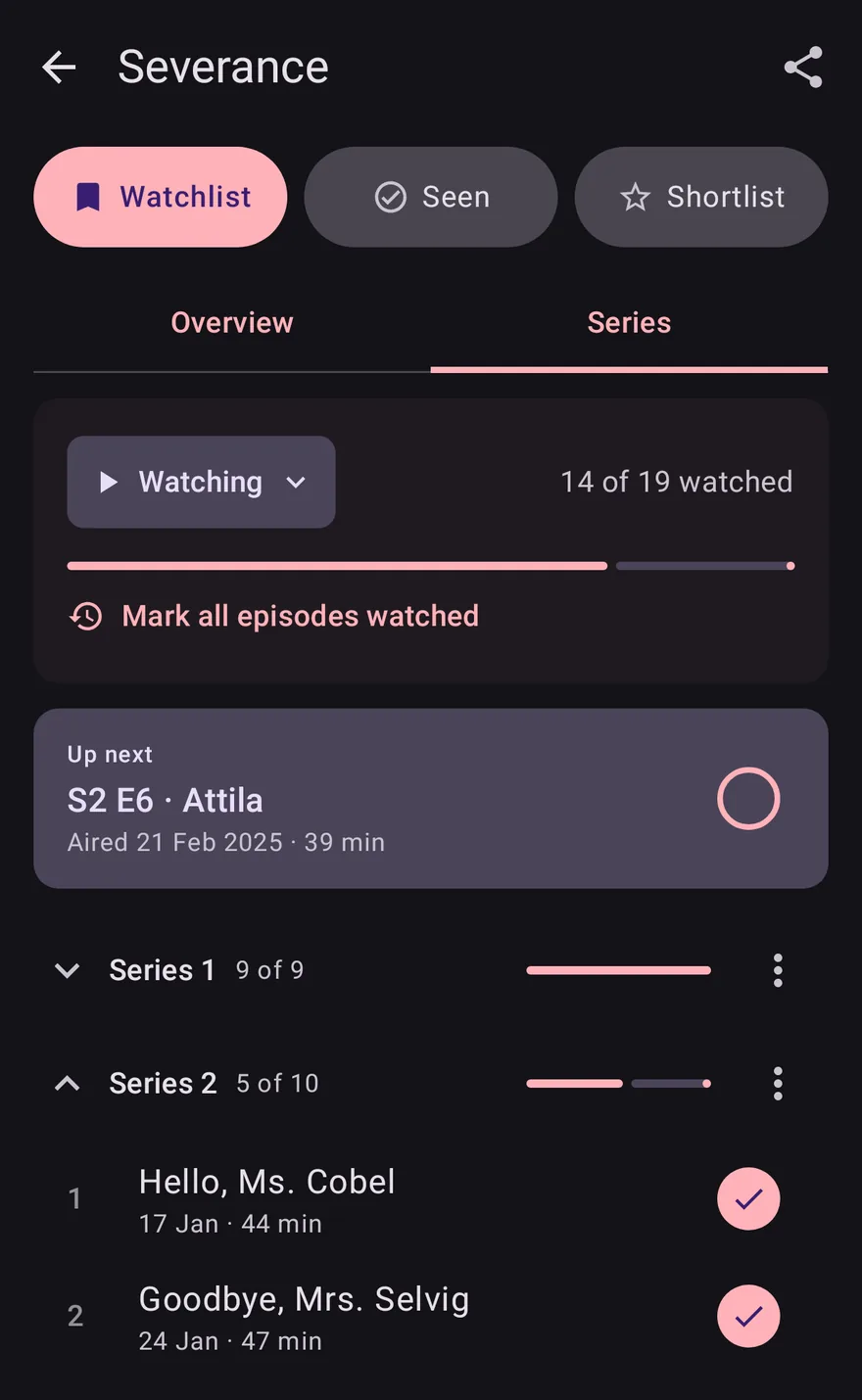
Mark what you've watched
Open a show and go to its Series tab (Seasons in the US). On iPhone and iPad it's the Series section of the show's page. Mark an episode watched as you finish it. Catching up? Mark series watched does a whole series at once, Mark watched up to marks a series up to the episode you pick, and Mark all episodes watched covers the whole show.

Up next, at the top of your list
The list now starts with Up next: the next episode of every show you're part-way through.

The Up next widget
Put Up next on your home screen too. On Android you can mark an episode watched from the widget, without opening the app.
New episode alerts
When a show you're watching has a new episode out, OnTheList tells you that morning. It covers the shows you've started, and stays quiet for shows you've paused or dropped. Turn it off for one show with Alert me about this show, in that show's Title settings, or for every show with New episode alerts in Settings.
Pause or drop a show
Taking a break? Pause show keeps your progress and moves the show to On hold, at the end of your list. Given up on it? Drop show takes it off your list and stops its new series alerts too.
Friends see where you're up to
Friends can see how far you've got in a show, like Up to S2 E5, on that show's page. To keep that to yourself, turn on Hide my episode progress in Settings: friends still see which shows are on your list, but not how far through them you are.