

Paste a list

Paste the lot. It sorts out the titles.

Most watchlists are not in an app. They are in a note, an email, or the group chat where somebody sent you nine things at once. Paste the whole block into OnTheList and it finds the films and shows in it. Free, with no ads.

  • No formatting needed
  • You confirm before it saves
  • Free, no ads
A block of pasted text in OnTheList, with the film and show titles picked out of it ready to add.

Copy, paste, confirm.

Nothing to export, no file to find, and no need to tidy the list up first.

1. Copy it from anywhere

Your notes, an email, a message, a list in an article. If you can select the text, you can paste it.

2. Paste the whole block

Numbering, bullets, star ratings and the sentence somebody wrapped around them all come along. OnTheList reads past them.

3. Confirm the matches

You see what it found before anything is saved, so a title it has read wrongly never reaches your list.

Real lists, not tidy ones.

People do not write watchlists neatly. They number them, rate them, abbreviate them, and mix films with shows in the same breath. A pasted list can arrive as "1. Dune Part Two ****" or as nine titles separated by commas, and both work. Anything already on your list is skipped, so you can paste something that overlaps without ending up with it twice.
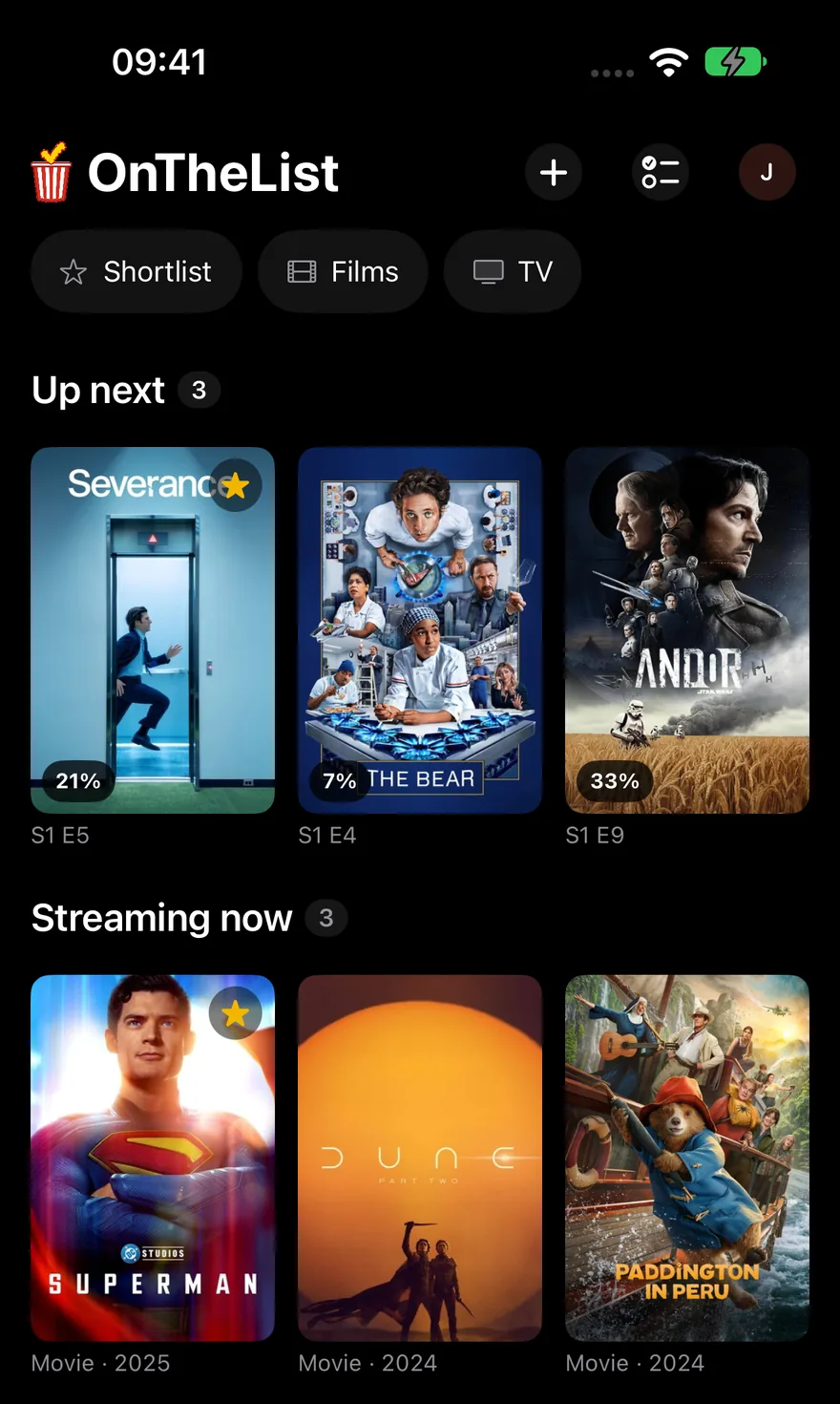
The finished list in OnTheList after an import, grouped into Streaming now and Coming soon.

A pile of names becomes a list you can use.

Getting the titles in is the boring half. What makes it worth doing is what happens next.

Sorted by what you can watch

The list groups itself into what is streaming now, what is in cinemas and what is still to come.

Where each one is

Every title shows which services carry it in your country, with rent and buy kept separate. How availability works.

Already keep it in Letterboxd?

There is a direct import for that instead of copying and pasting. Import from Letterboxd.

Questions about pasting

Where can I paste a list from?

Anywhere you can copy text. Your notes app, an email, a group chat, a message from a friend, or a list you found in an article. OnTheList reads the text and picks the titles out of it.

Does the list have to be formatted a particular way?

No. Numbered lists, bullet points, one per line or separated by commas all work. Star ratings and stray numbering are stripped rather than treated as part of a title.

What if a title does not match?

You see the matches before anything is added, so you can drop anything it has read wrongly. Nothing lands on your list until you confirm it.

Does it add duplicates?

No. Anything already on your list is skipped, so you can paste an overlapping list without tidying it up first.

Can it handle films and TV in the same list?

Yes. A pasted list can mix films and shows, and both end up on the same list in OnTheList.

Get the list out of your notes.

Free on iPhone, iPad and Android. Paste it once and let the list do the rest.

Free · US & UK · Sign in with Google or Apple