



Streaming, rent, buy and cinema

Know where to watch it, before you go looking.

Save a film or show once and OnTheList tells you which services have it in your country, whether it is included in a subscription or costs extra, and opens the right app in a tap. Free, with no ads.

  • US & UK
  • Free, no ads
  • No subscription needed
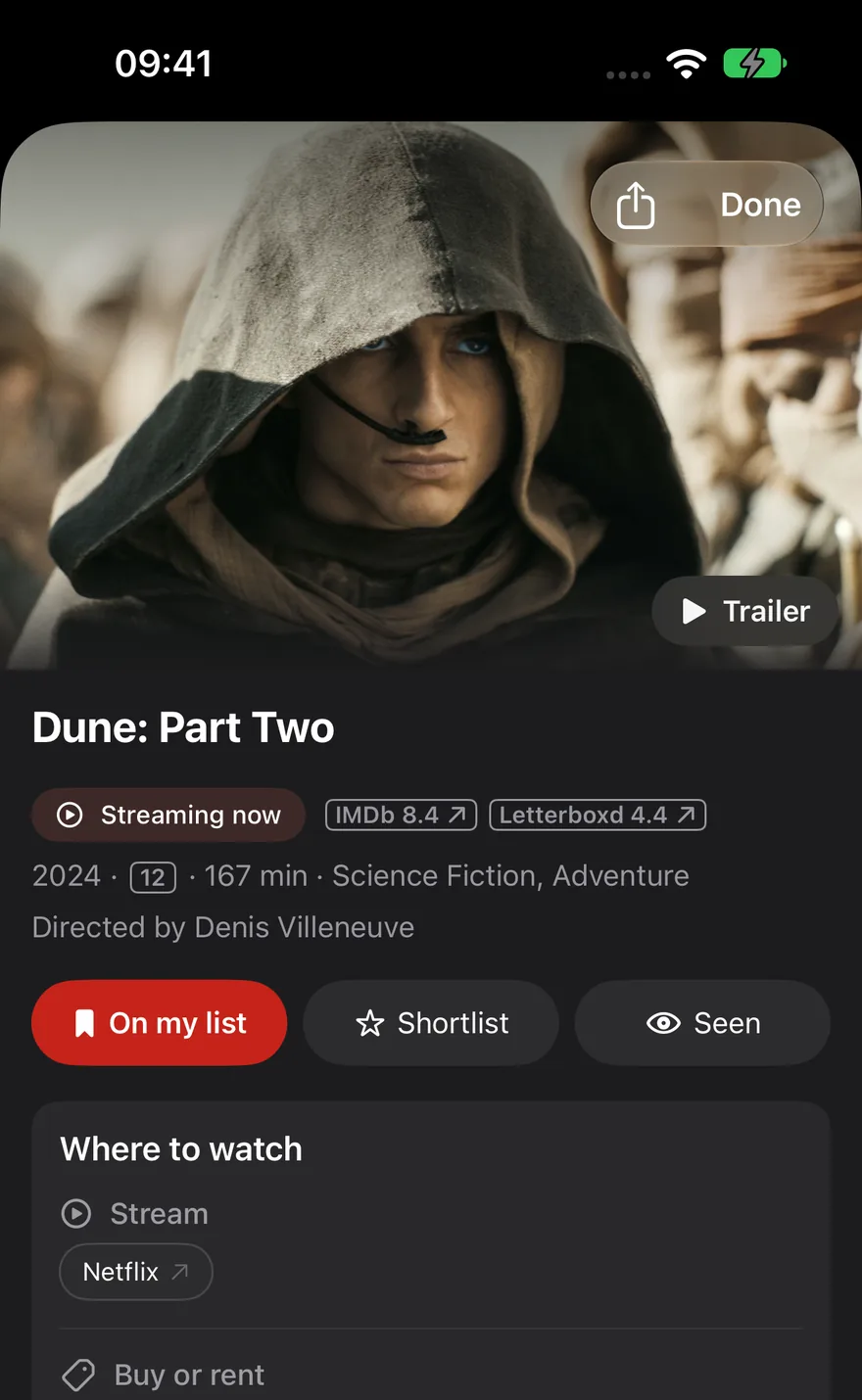
A title in OnTheList on iPhone, showing Where to watch with streaming services listed separately from Buy or rent options.

One film. Five apps. Twenty minutes.

Streaming rights move constantly. A film that was on one service last month is on another this month, or has quietly gone to rental only. Checking by hand means opening every app you pay for, and the one you do not.

Save it once

Add a title from search, from a friend, or from a link somebody sent you. It goes on one list rather than into your head.

See where it is

Open the title and every service carrying it in your country is listed, with subscription, rent and buy kept separate so nothing surprises you at checkout.

Open it there

Tap the service and it opens that app on the title, rather than dropping you on a home screen to search again.

Rent and buy are never hidden.

The most annoying way to find out a film is not included in a service you already pay for is at the payment screen. OnTheList labels subscription, rent and buy separately on every title, so you can tell in a glance whether tonight costs nothing or costs money. Pre-orders are marked too, for things not yet released.
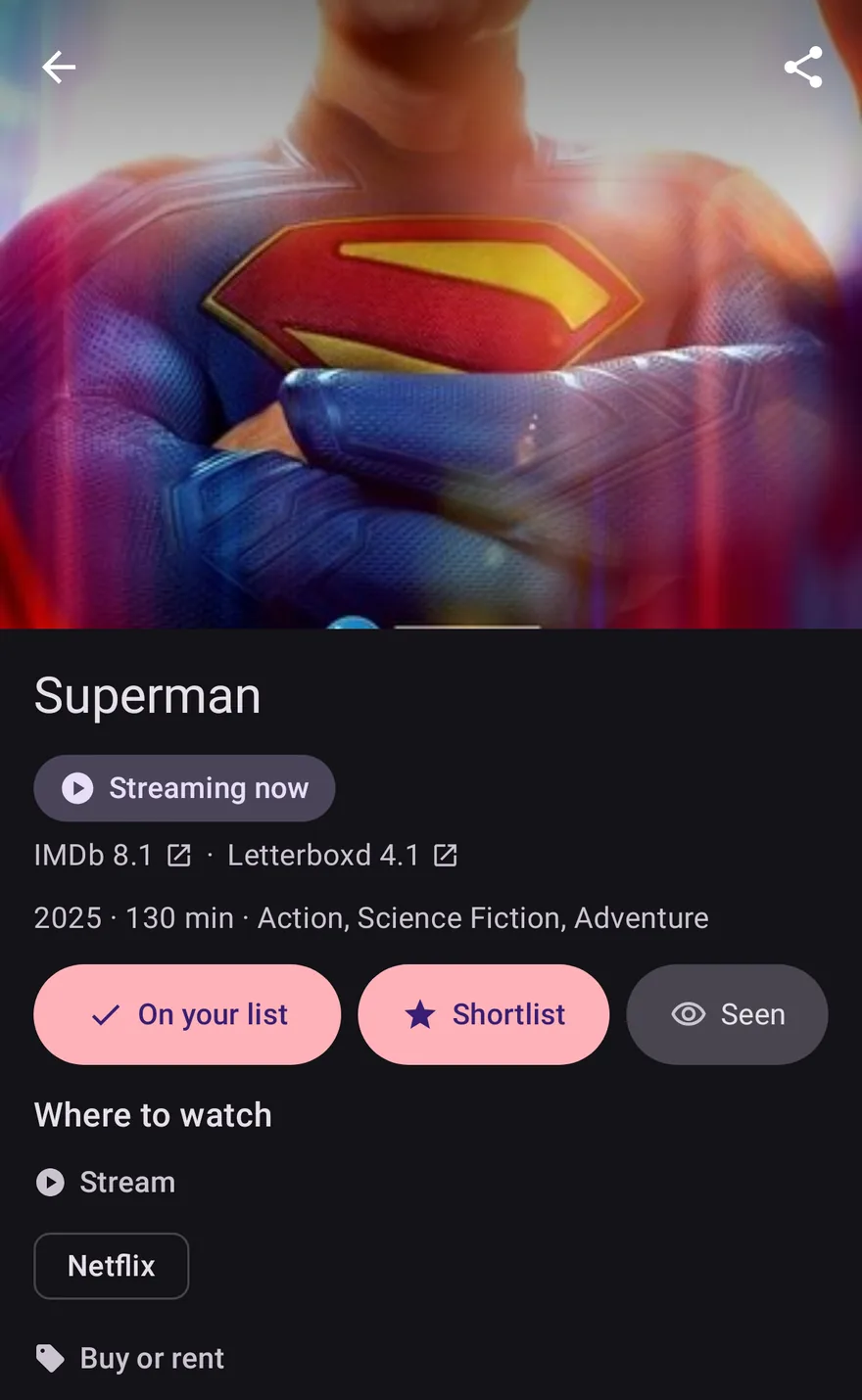
The same title on Android, with Netflix under Stream and Prime Video and Apple TV listed under Buy or rent.

Your list knows the difference.

Availability is not only about what is streaming tonight. Your list separates what you can watch now from what is in cinemas, what has a release date, and what has neither.

Streaming now

Everything on your list that is watchable this minute on a service available in your country.

In cinemas

Films showing near you now, so a cinema run does not pass you by while it sits on a watchlist.

Coming soon

Titles with a confirmed date, so you know whether waiting a fortnight is worth it.

Questions about availability

Which streaming services does OnTheList cover?

The major services in the US and UK, including Netflix, Disney+, Prime Video, Apple TV+, Paramount+ and more, plus rental and purchase stores. Coverage comes from JustWatch, so it follows their catalogue rather than a list we maintain by hand.

Does it tell me if something is free with my subscription or costs extra?

Yes. Subscription, rent and buy are labelled separately, so you can see at a glance whether a title is included in a service you already pay for or whether it would cost you again.

Which countries does availability cover?

The United States and the United Kingdom. Your region is detected automatically and you can switch between the two in your profile. Availability, cinema listings and wording all follow your region.

Do I need a subscription to any service to use OnTheList?

No. OnTheList is free and works whether you subscribe to nothing or to everything. It tells you where a title is available; watching it is between you and that service.

What happens if a title is not streaming anywhere?

It stays on your list under Not streaming yet, or under In cinemas or Coming soon if it has a date. You are told when it becomes watchable rather than having to check yourself.

Stop checking five apps.

Free on iPhone, iPad and Android. Save what you want to watch, and let the list tell you where it is.

Free · US & UK · Sign in with Google or Apple