New feature
See what your friends want to watch
Updated : now on iPhone and iPad.
Friends has been part of OnTheList from the start. Add the people you watch with, whether they're on iPhone, iPad or Android.
Add a friend
Open Friends and add someone by name or @username. They get a friend request, and once they accept it you can see each other's lists. Or share your link or your code: whoever opens the link or scans the code is connected straight away.
See their list
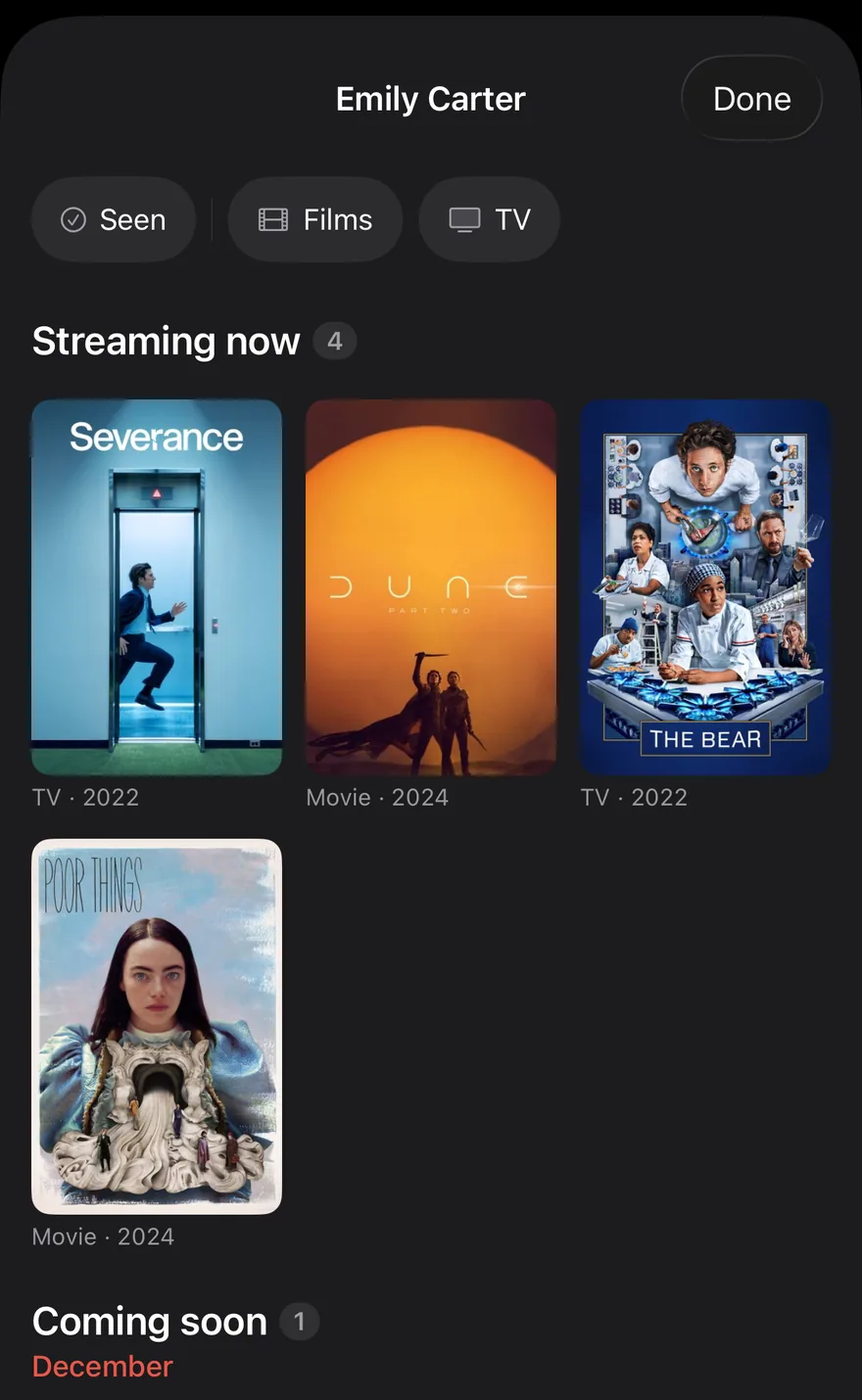
Open a friend to see their list: what they want to watch, what they've seen and how they rated it, and the picks they've starred for their Shortlist. Filter it to films, TV or Seen.
Taste match
A friend's profile shows your taste match: a percentage, the titles you have in common and the genres you share. It appears once you each have ten titles.
Watch together
Watch together shows the films and shows on your watchlist and a friend's that you can watch now, streaming or in cinemas. How Watch together works.

You choose what friends see
Only friends can see your list. They see what you want to watch, what you've seen, your reactions, your Shortlist stars and how far you've got in a show. To keep one title from them, turn on Hidden from friends in that title's settings. To keep your progress to yourself, turn on Hide my episode progress in Settings. You can remove a friend at any time.