
Watch together

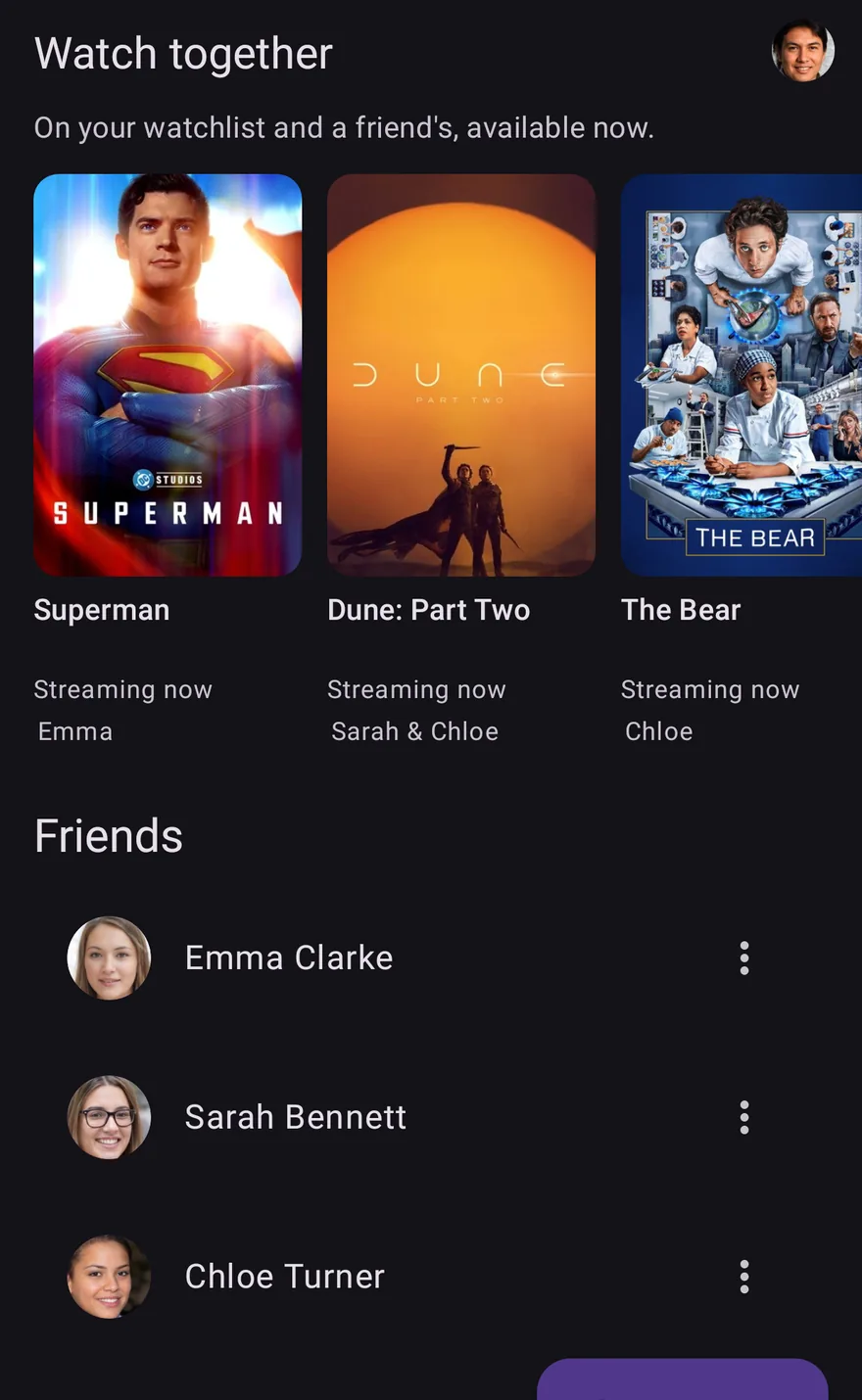
See what you both want to watch, and can stream tonight.

Twenty minutes of scrolling, then you give up and rewatch something. Add a friend and OnTheList shows only the titles on both your lists that are available right now. Free, with no ads.

  • iPhone, iPad & Android
  • Private by default
  • Free, no ads
The Watch together screen in OnTheList: titles on your watchlist and a friend's that you can watch now, with your friends listed below.

How Watch together works, in three steps.

Nobody has to build a shared list, agree on a system or maintain anything. You each keep your own list, exactly as you would anyway, and the overlap is worked out for you.

Add a friend

By username, by a private link you send them, or by scanning a QR code when you are in the same room. No phone numbers and no address book access.

You each keep your own list

You both carry on saving whatever you like. There is no shared list to curate and nothing to keep tidy between you.

See what you both want, streaming now

It shows the titles you both saved that are streaming in your country now. Not what you both might like. What you both actually chose, and can actually watch.

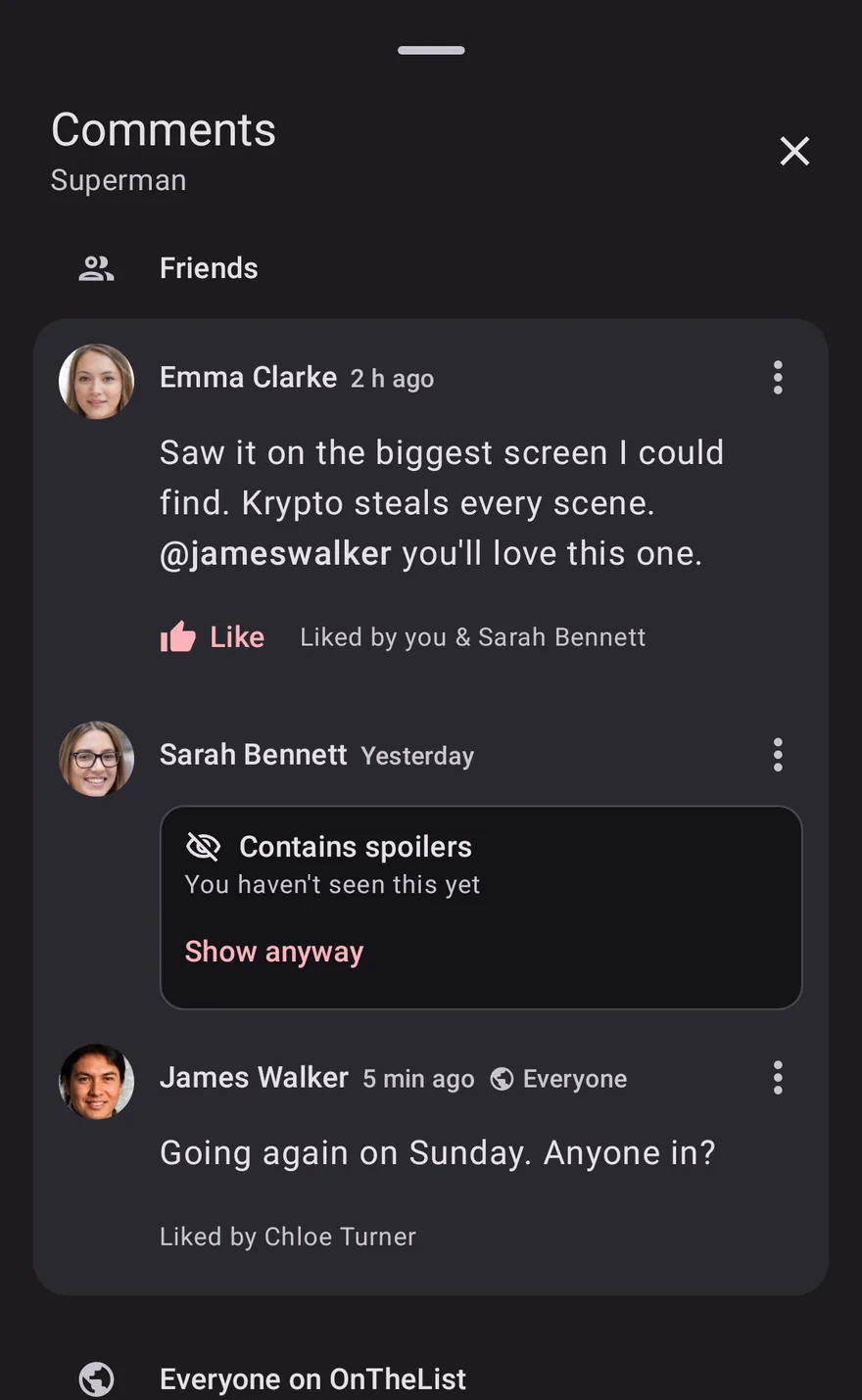
Comments on a film in OnTheList: friends' comments with a mention, and one comment covered as a spoiler until you choose to see it.

Comment on films and shows, without spoilers.

Comment on any film, show or episode, with friends or with everyone. Mention a friend and they get a notification, and a spoiler stays covered until you choose to see it. Activity shows what your friends watched, rated and said. Every friend also gets a taste match score, and you can browse a friend's list the same way you browse your own.

Your list is private until you add a friend.

Sharing a watchlist should not mean giving up control of it. Nothing is visible to anyone until you add them, and you can change your mind at any point.

Only friends can see your list

Your list is yours. Nobody sees it until you add them as a friend, and you decide who that is.

Hide any title from your friends

Something you would rather not explain? One toggle keeps it on your list and out of sight of friends.

Stop old invite links from working

Replace your share link and every link or QR code you have handed out stops working, in one action.

Questions about sharing

Does my friend need the same phone as me?

No. Watch together works across iPhone, iPad and Android, so it makes no difference which one either of you is on. Your list lives with your account rather than your handset.

How do I add a friend?

By username, by sending them a private link, or by having them scan your QR code when you are in the same room. You can reset your link at any time, which stops every previously shared link and QR code working.

Can my friends see everything on my list?

Only if you add them. Your list is private by default and nothing is shared until you choose to share it. Any individual title can also be hidden from friends with one toggle, and you can revoke sharing whenever you like.

What is a taste match?

A score showing how closely your taste lines up with a friend's. It is a quick way to know whose recommendations to trust.

What if we have nothing in common?

Then Watch together shows nothing, which is itself useful. You can browse your friend's list the same way you browse your own and add something from it instead.

Decide what to watch together, in seconds.

Free on iPhone, iPad and Android. Add a friend and see what you can both watch tonight.

Free · US & UK · Sign in with Google or Apple