

Letterboxd import

Bring your Letterboxd watchlist across.

Years of saved films, in one import. Then OnTheList adds the thing a watchlist never tells you: which of them you can actually watch tonight, and where. Free, with no ads.

  • Works with free accounts
  • Your Letterboxd stays as it is
  • Free, no ads
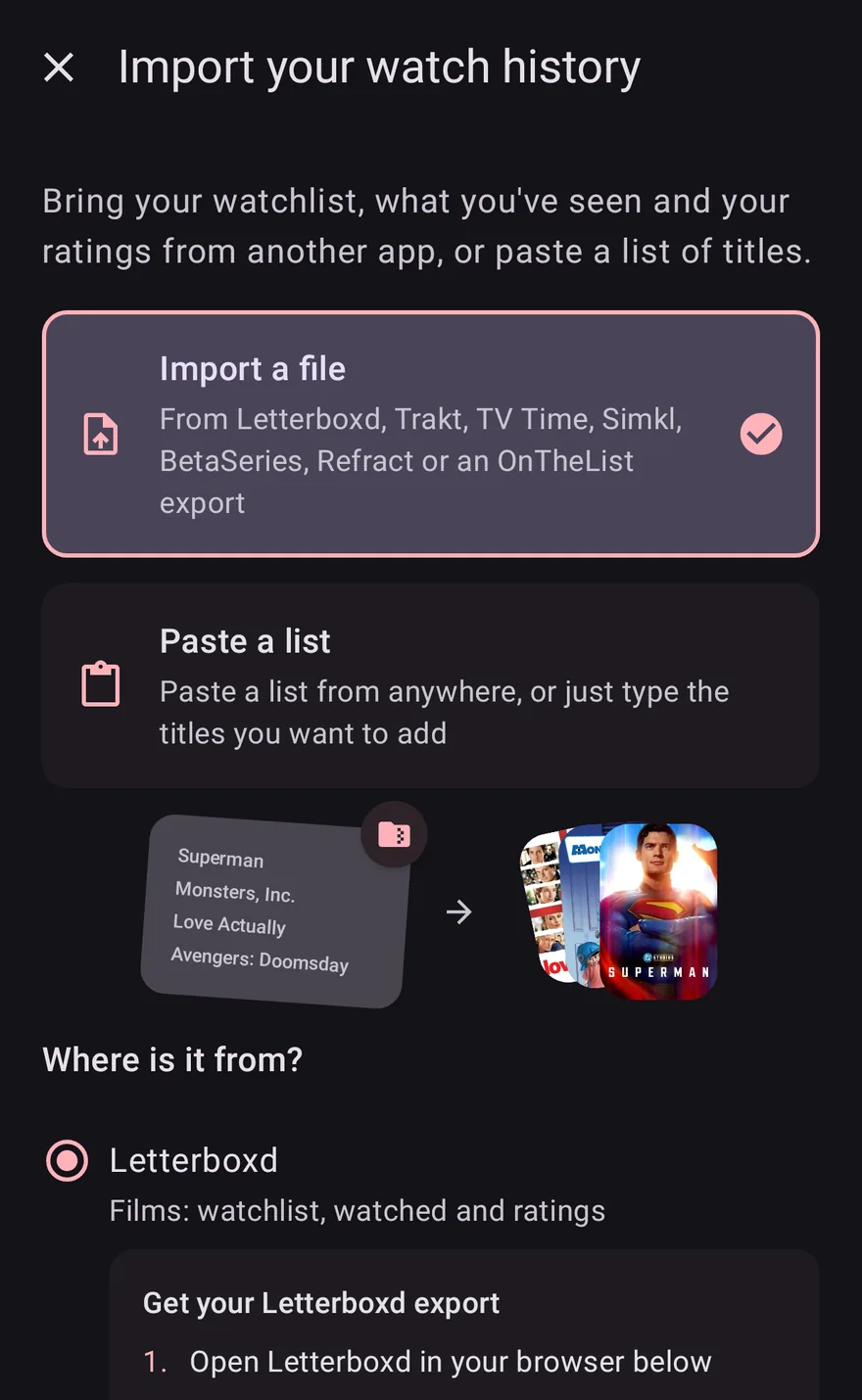
The Letterboxd import screen in OnTheList, ready to bring an exported watchlist across.

Export, import, done.

The whole thing takes a couple of minutes. One part trips almost everybody up, so it is first.

1. Export on the web

Letterboxd only exports from a web browser, never from its own app, which is where most people get stuck. OnTheList gives you a button that opens it in one. Sign in, go to Settings, then Import & export, then Export your data, and a ZIP downloads.

2. Import in OnTheList

Open OnTheList, choose the Letterboxd import, and pick the file you just downloaded. You do not need to unzip it or find the right file inside.

3. Check the matches

A Letterboxd export lists titles and years rather than IDs, so remakes and reissues occasionally need a human eye. You confirm before anything lands on your list.

A watchlist that tells you what is watchable.

Letterboxd is where a lot of people keep the record of what they have seen and what they thought of it. What a list of four hundred films does not tell you is which three are on a service you already pay for tonight. That is the gap OnTheList fills: the same titles, sorted by whether you can watch them now, whether they are in cinemas, and what is coming next.
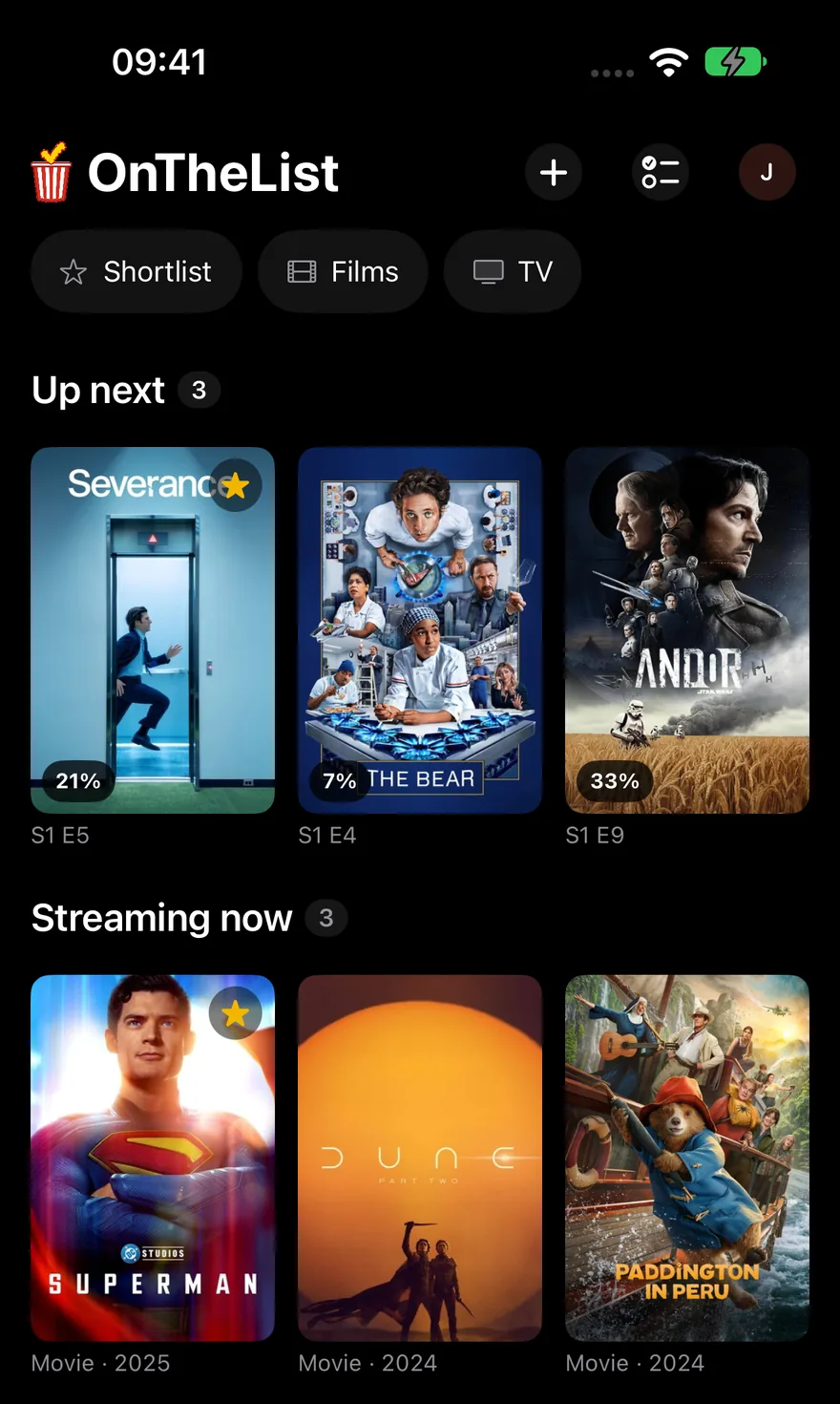
An imported list in OnTheList on iPhone, grouped into what is streaming now and what is coming soon.

The honest detail.

Better to know these before you start than to be surprised afterwards.

Films, not television

Letterboxd covers films only, so an export contains no TV at all. Shows can be added to OnTheList by searching, and they live on the same list.

A copy, not a connection

This is a one-time import of a file, not an ongoing sync. Add a lot to Letterboxd later and you can simply export and import again.

Nothing leaves your account

Your Letterboxd account is untouched. OnTheList reads the export you downloaded and never signs in to Letterboxd on your behalf.

Questions about importing

Where do I export my Letterboxd watchlist?

On the Letterboxd website, not in their mobile app. Sign in at letterboxd.com, then go to Settings, then Import & export, then Export your data. This is the step most people get stuck on, because the option does not exist in the phone app. OnTheList gives you a button that opens Letterboxd in a browser so you do not have to go looking for it.

Do I need a paid Letterboxd account?

No. Exporting your data is available on free accounts as well as Pro and Patron.

Does it import my ratings, reviews and diary too?

The import brings across your watchlist, which is the list of films you still mean to watch. Your Letterboxd account is untouched and stays exactly as it is.

What about TV shows?

Letterboxd covers films only, so a Letterboxd export contains no television. You can add shows to OnTheList by searching for them, and they sit on the same list as your films.

Does it keep syncing with Letterboxd afterwards?

No. It is a one-time import of the file you exported, not a live connection. If you add a lot to Letterboxd later you can export and import again.

Is OnTheList connected to Letterboxd?

No. OnTheList is an independent app and is not affiliated with, endorsed by or connected to Letterboxd. The import simply reads the data export that Letterboxd gives you.

Bring the list with you.

Free on iPhone, iPad and Android. Import once, then see what you can actually watch.

Free · US & UK · Sign in with Google or Apple